Front Bumper Impact Bar Bracket Replacement
Removal Procedure
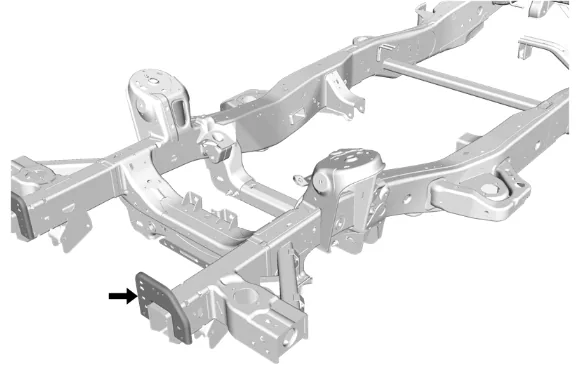
- Disable the SIR system. SIR Disabling and Enabling
- Disconnect the battery negative cable. Battery Negative Cable Disconnection and Connection
- Remove all related panels and components.
- Remove the sealers and anti-corrosion materials from the repair area as necessary. Anti- Corrosion Treatment and Repair
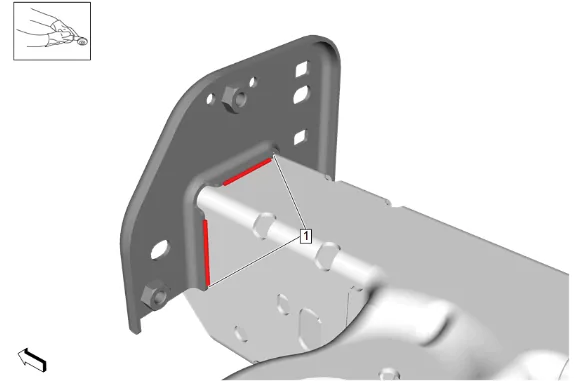
- Using a grinding wheel or equivalent, remove the welds (1) from the bumper bracket. [2X]
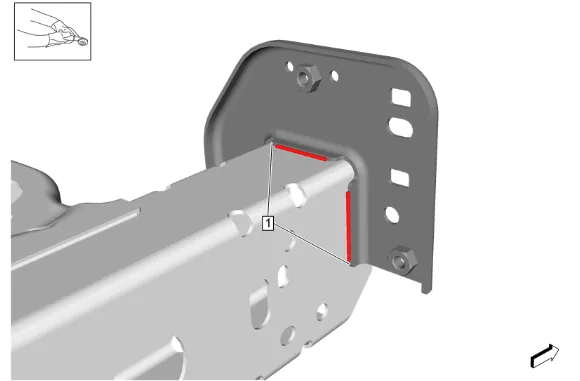
- Using a grinding wheel or equivalent, remove the welds (1) from the bumper bracket. [2X]
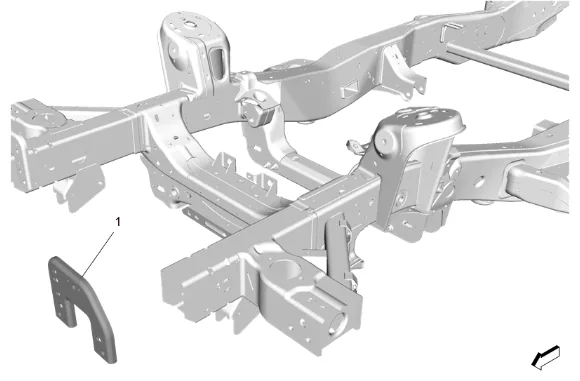
- Remove bumper bracket (1) from the vehicle. Installation Procedure
- Prepare frame rail reinforcement per installation requirements.
- Prepare all joining surfaces for welding as necessary.
- Apply weld-thru coating or equivalent to all welding surfaces. Anti-Corrosion Treatment and Repair
- Position bumper bracket (1) to vehicle using 3-dimensional measuring equipment and clamp into place.
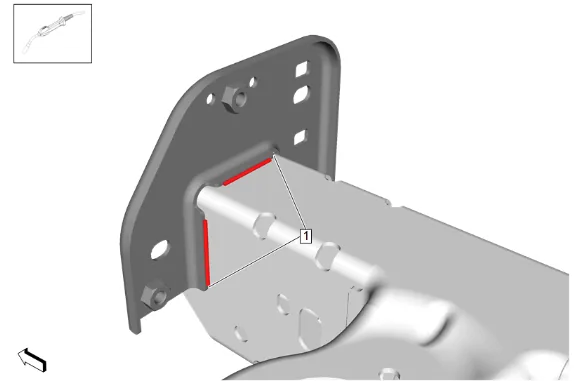
- Install MIG/MAG welds (1). [2X]
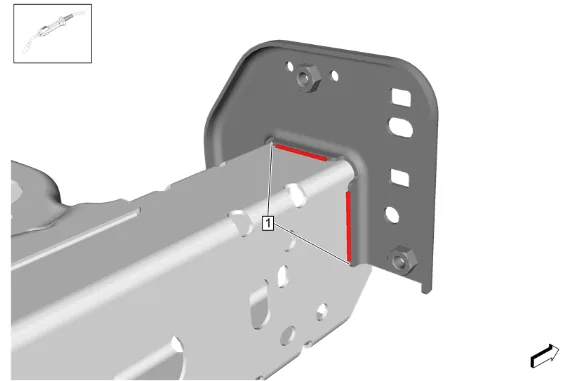
- Install MIG/MAG welds (1). [2X]
- Apply the sealers and anti-corrosion materials to the repair area as necessary. Anti-Corrosion Treatment and Repair
- Paint the repaired area. Basecoat/Clearcoat Paint Systems.
- Install all related panels and components.
- Connect the battery negative cable. Battery Negative Cable Disconnection and Connection
- Enable the SIR System. SIR Disabling and Enabling.