Sunroof Housing Bracket Replacement (Long Wheel Base)
Removal Procedure
- Disable the SIR system. SIR Disabling and Enabling
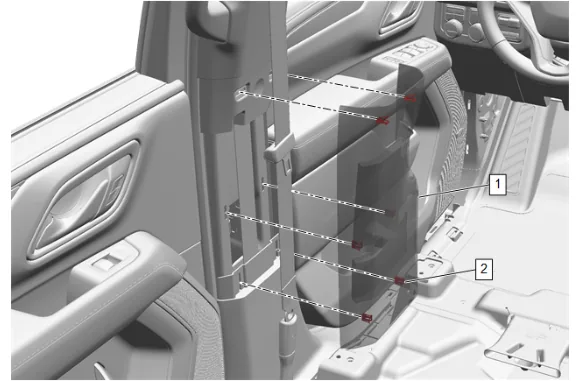
- Move the front seat fully forward.
- Use a flat bladed plastic tool between the center pillar center trim panel (1) and the center pillar upper trim panel to disengage the upper retaining clips (2).
- Pull from both sides of the center pillar center trim panel (1) to release the middle and lower retaining clips (2).
- Center Pillar Upper Trim Panel (1) » Remove [2x]
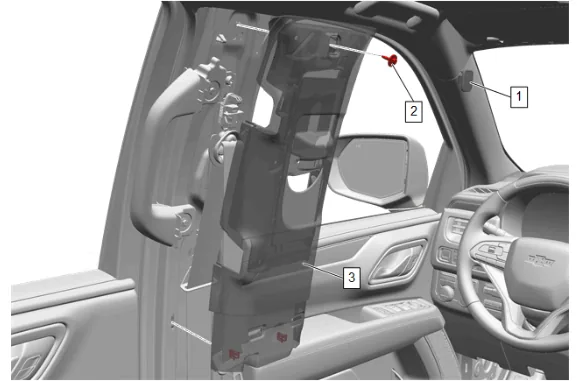
- Center Pillar Upper Trim Panel Bolt Cap (1) » Remove [2x]
- Center Pillar Upper Garnish Molding Bolt (2) » Remove [2x]
- Pull the center pillar upper trim panel (3) toward the inside of the vehicle to disengage the retaining clips.
- Center Pillar Center Trim Panel (3) » Reposition [2x]
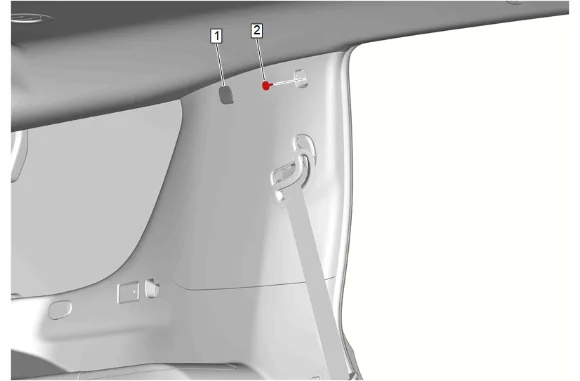
- Quarter Window Trim Finish Panel Bolt Cap (1) » Remove [2x]
- Quarter Window Trim Finish Panel Bolt (2) » Remove [2x]
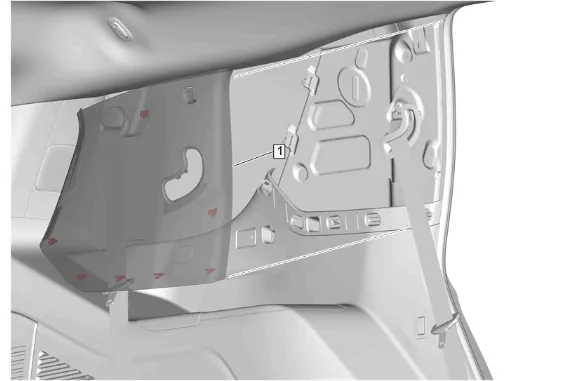
- Using a flat-bladed plastic trim tool, release the retaining clips.
- Body Lock Pillar Upper Trim Panel (1) » Reposition [2x]
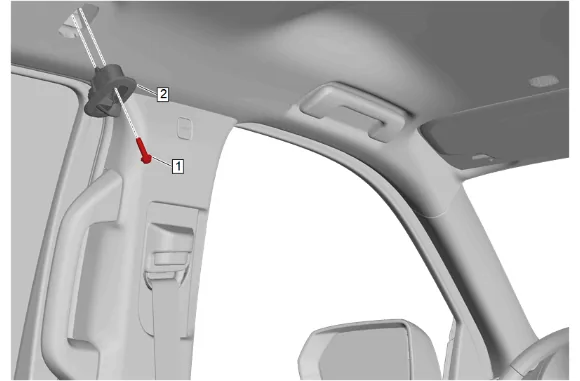
- Place the coat hook (2) in the open position.
- Coat Hook Bolt (1) » Remove [2x]
- Coat Hook (2) » Remove [2x]
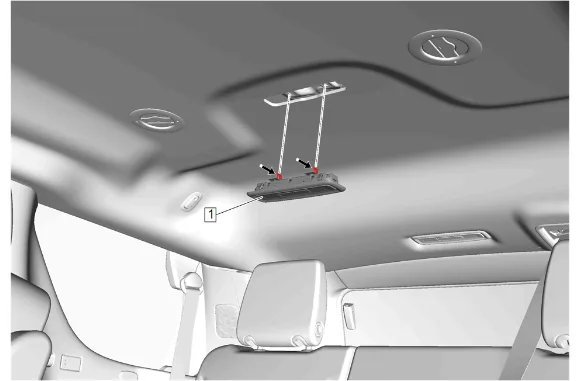
- Using a suitable plastic trim tool, release the retaining tabs on the rear seat position center reading and courtesy lamp (1).
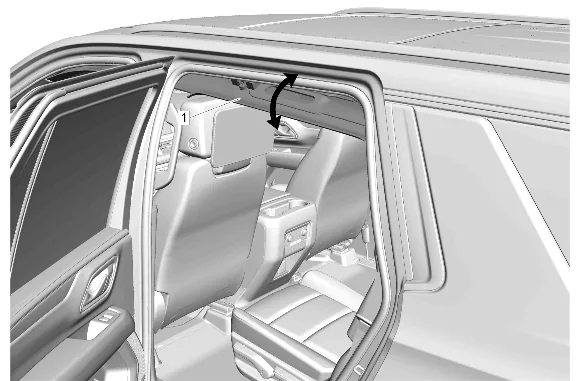
- Lower the headlining trim panel (1).
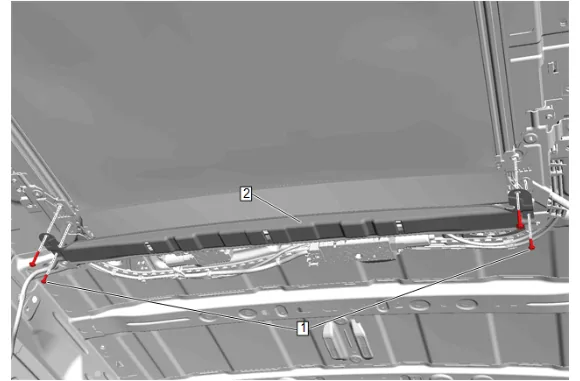
-
Sunshade Support Bolt (1) » Remove [4x]
-
Sunroof Housing Bracket (2) » Remove Installation Procedure
-
Sunroof Housing Bracket (2) » Install
-
Sunshade Support Bolt (1) » Install and tighten [4x] — Fastener Specifications
-
Headlining Trim Panel (1) » Install
-
Apply pressure upward on the rear seat position center reading and courtesy lamp (1) to engage the retaining tabs.
- Coat Hook (2) » Install [2x]
- Coat Hook Bolt (1) » Install and tighten [2x] — Fastener Specifications
- Body Lock Pillar Upper Trim Panel (1) » Install [2x]
- Quarter Window Trim Finish Panel Bolt (2) » Install and tighten [2x] — Fastener Specifications
- Quarter Window Trim Finish Panel Bolt Cap (1) » Install [2x]
- Center Pillar Upper Trim Panel (3) » Install [2x]
- Center Pillar Upper Garnish Molding Bolt (2) » Install and tighten [2x] — Fastener Specifications
- Center Pillar Upper Trim Panel Bolt Cap (1) » Install [2x]
- Align 6 retaining clips (2) with the upper and lower trim panels.
- Center Pillar Center Trim Panel (1) » Install [2x]
- Enable the SIR System. SIR Disabling and Enabling