Communication Interface Module Battery Replacement
Removal Procedure
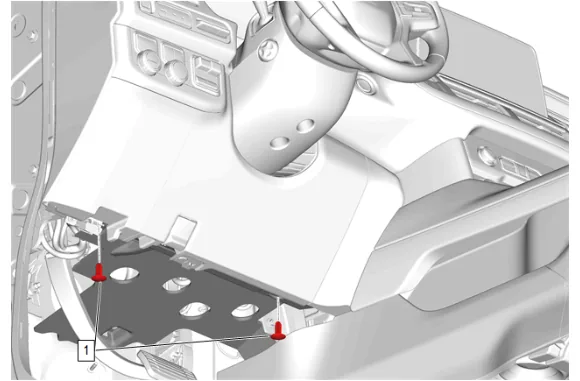
- Instrument Panel Lower Insulator Retainer (1) » Remove [2x]
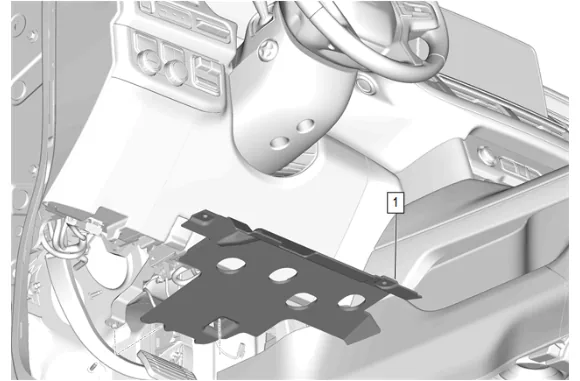
- Instrument Panel Lower Trim Panel Insulator (1) » Remove
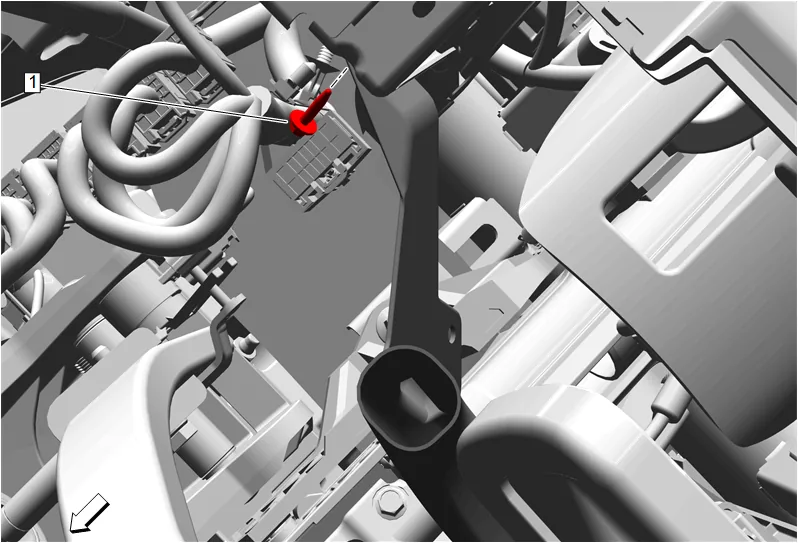
- Floor Front Air Outlet Duct Bolt (1) » Remove
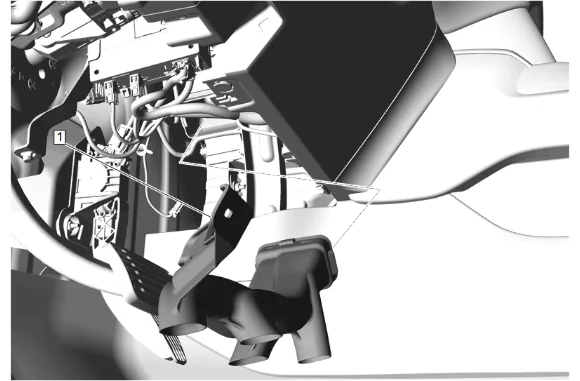
- Floor Front Air Outlet Duct - Left Side (1) » Remove
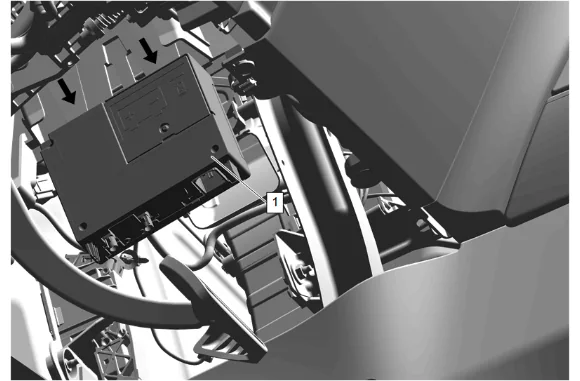
- Disconnect the electrical connectors.
- Release the retaining tabs.
- Telematic Control Module (1) » Remove
-
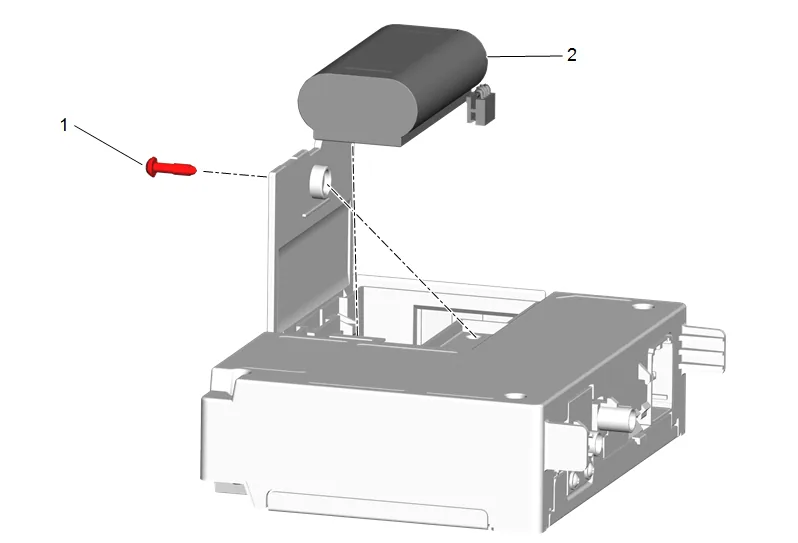
Communication Interface Module Battery Bolt (1) » Remove
-
Communication Interface Module Battery (2) » Remove Installation Procedure
-
Communication Interface Module Battery (2) » Install
-
Communication Interface Module Battery Bolt (1) » Install and tighten — Fastener Specifications
-
Telematic Control Module (1) » Install
-
Connect the electrical connectors.
-
Floor Front Air Outlet Duct - Left Side (1) » Install
-
Floor Front Air Outlet Duct Bolt (1) » Install and tighten — Fastener Specifications
-
Instrument Panel Lower Trim Panel Insulator (1) » Install
-
Instrument Panel Lower Insulator Retainer (1) » Install [2x]
-
Perform the necessary programming and setup procedure: Control Module References