Front Floor Console Auxiliary Cooling Duct Replacement (with UQA)
Front Floor Console Auxiliary Cooling Duct Replacement (with UQA)
- Disable the SIR system. SIR Disabling and Enabling
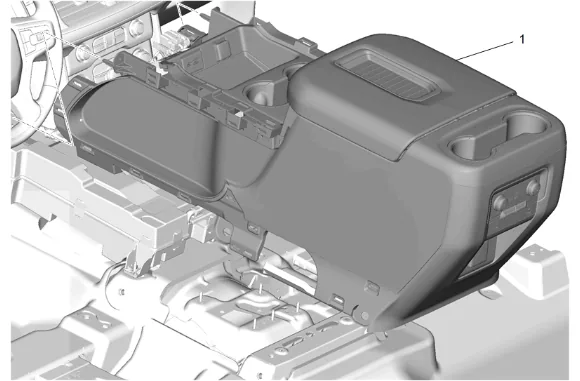
- Front Floor Console (1) » Remove — Front Floor Console Removal and Installation
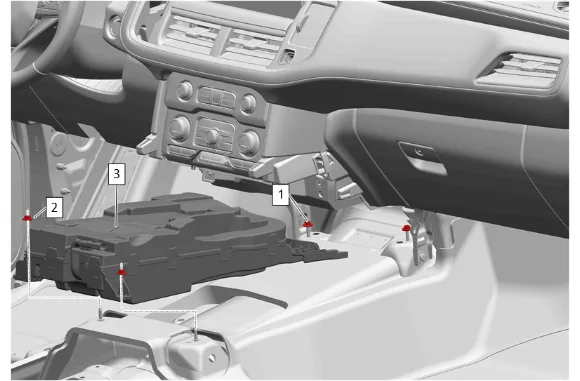
- Disconnect the electrical connector.
- Radio Front Floor Speaker Nut - Front (1) » Remove [2x]
- Radio Front Floor Speaker Nut - Rear (1) » Remove [2x]
- Front Floor Speaker (2) » Remove
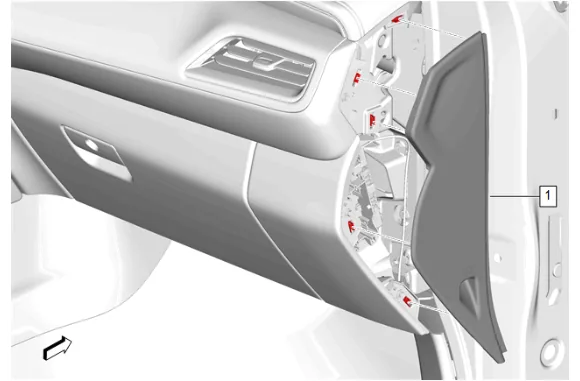
- Using a flat-bladed plastic trim tool, release the retaining clips.
- Instrument Panel Fuse Block Access Hole Cover (1) » Remove
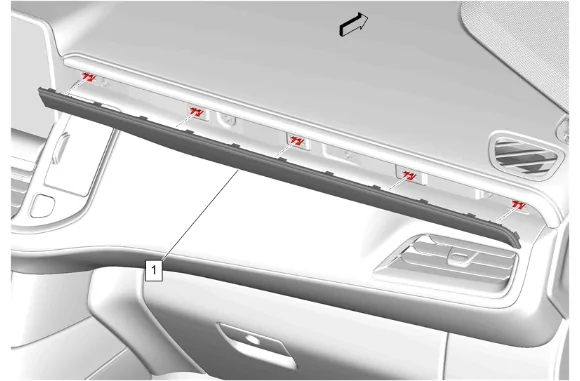
- Using a flat-bladed plastic trim tool, release the retaining clips.
- Instrument Panel Trim Plate Applique (1) » Remove
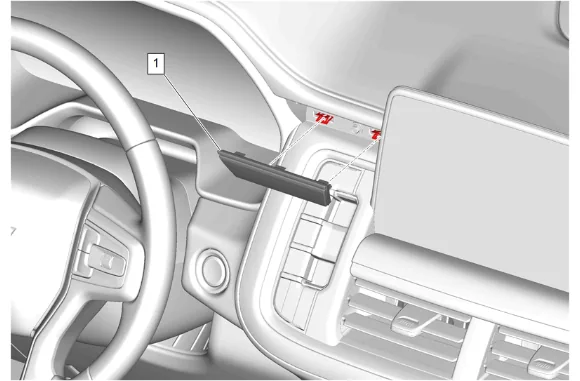
- Using a flat-bladed plastic trim tool, release the retaining clips.
- Instrument Panel Center Trim Plate Applique (1) » Remove
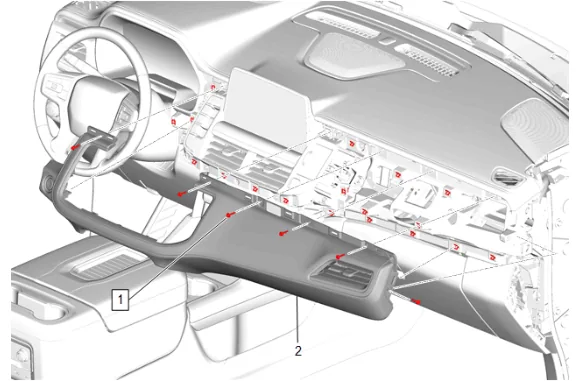
- Instrument Panel Upper Trim Panel Bolt (1) » Remove [6x]
- Using a flat-bladed plastic trim tool, release the retaining clips.
- Instrument Panel Trim Pad (2) » Remove
- Disconnect the electrical connector.
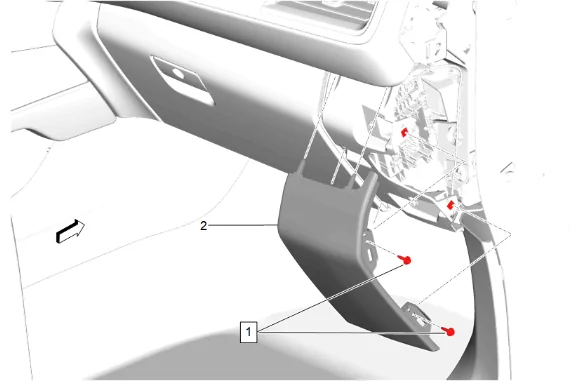
- Instrument Panel Compartment Bolt (1) » Remove [2x]
- Using a flat-bladed plastic trim tool, release the retaining clips.
- Instrument Panel Lower Trim Panel Outer Filler (2) » Remove
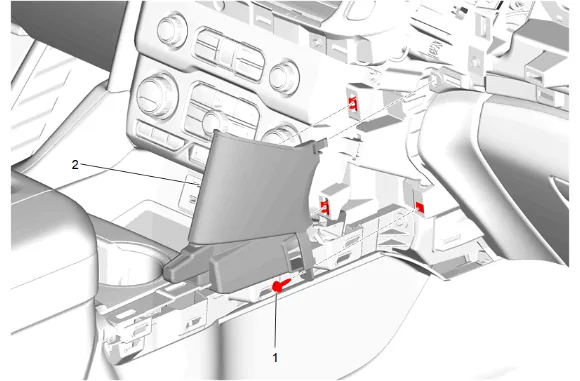
- Instrument Panel Lower Trim Panel Bolt (1) » Remove
- Using a flat-bladed plastic trim tool, release the retaining clips.
- Instrument Panel Lower Center Trim Plate Applique (2) » Remove
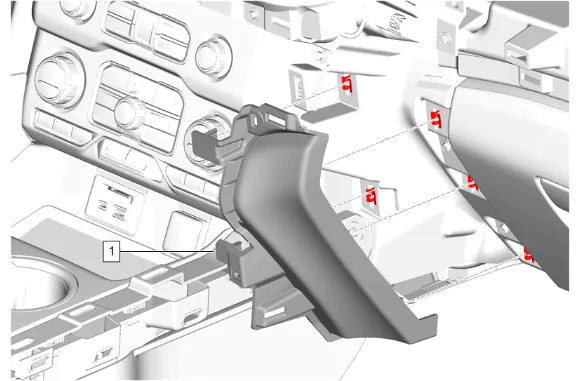
- Using a flat-bladed plastic trim tool, release the retaining clips.
- Instrument Panel Lower Trim Panel (1) » Remove
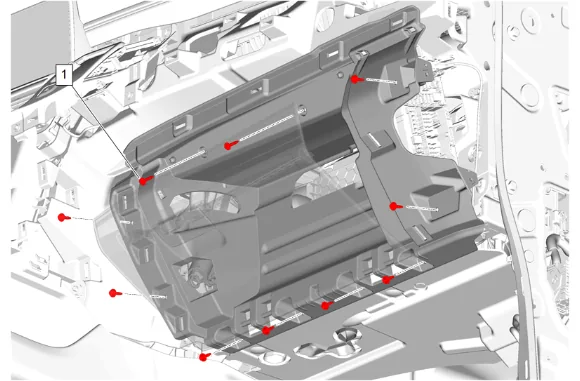
- Instrument Panel Compartment Bolt (1) » Remove [10x]
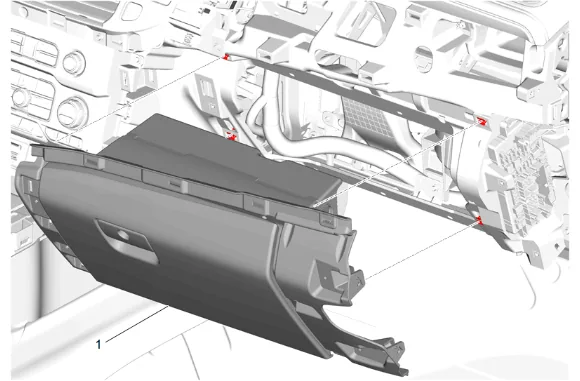
- Instrument Panel Compartment (1) » Remove
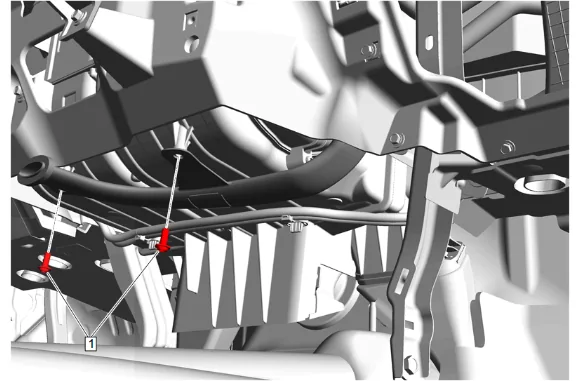
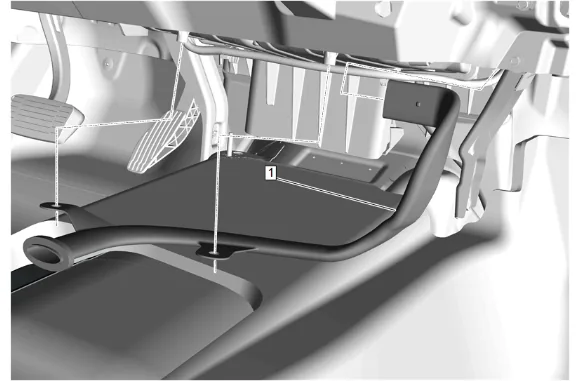
- Front Floor Console Auxiliary Cooling Intermediate Duct Bolt (1) » Remove [2x]
-
Front Floor Console Auxiliary Cooling Duct (1) » Remove Installation Procedure
-
Front Floor Console Auxiliary Cooling Duct (1) » Install
-
Front Floor Console Auxiliary Cooling Intermediate Duct Bolt (1) » Install and tighten [2x] — Fastener Specifications
-
Instrument Panel Compartment (1) » Install
-
Instrument Panel Compartment Bolt (1) » Install and tighten [10x] — Fastener Specifications
-
Instrument Panel Lower Trim Panel (1) » Install
-
Instrument Panel Lower Center Trim Plate Applique (2) » Install
-
Instrument Panel Lower Trim Panel Bolt (1) » Install and tighten — Fastener Specifications
-
Instrument Panel Lower Trim Panel Outer Filler (2) » Install
-
Instrument Panel Compartment Bolt (1) » Install and tighten [2x] — Fastener Specifications
-
Connect the electrical connector.
-
Instrument Panel Trim Pad (2) » Install
-
Instrument Panel Upper Trim Panel Bolt (1) » Install and tighten [6x] — Fastener Specifications
-
Instrument Panel Center Trim Plate Applique (1) » Install
-
Instrument Panel Trim Plate Applique (1) » Install
-
Instrument Panel Fuse Block Access Hole Cover (1) » Install
-
Front Floor Speaker (2) » Install
-
Radio Front Floor Speaker Nut - Rear (1) » Install and tighten [2x] — Fastener Specifications
-
Radio Front Floor Speaker Nut - Front (1) » Install and tighten [2x] — Fastener Specifications
-
Connect the electrical connector.
-
Front Floor Console (1) » Install — Front Floor Console Removal and Installation
-
Enable the SIR System. SIR Disabling and Enabling